Copy-paste drift
复制即漂移
The same skill lives in three repos, each a week behind the others.
同一个 skill 出现在三个 repo 里,彼此落后一周。
Local AI Skills Library 本地 AI Skills 中央库
One AISkills directory as the source of truth. Symlink what you need into any project — for Claude Code, Codex, OpenCode, and Pi.
一个 AISkills 目录作为单一事实来源。按需 symlink 到任意项目——同时服务 Claude Code、Codex、OpenCode 与 Pi。
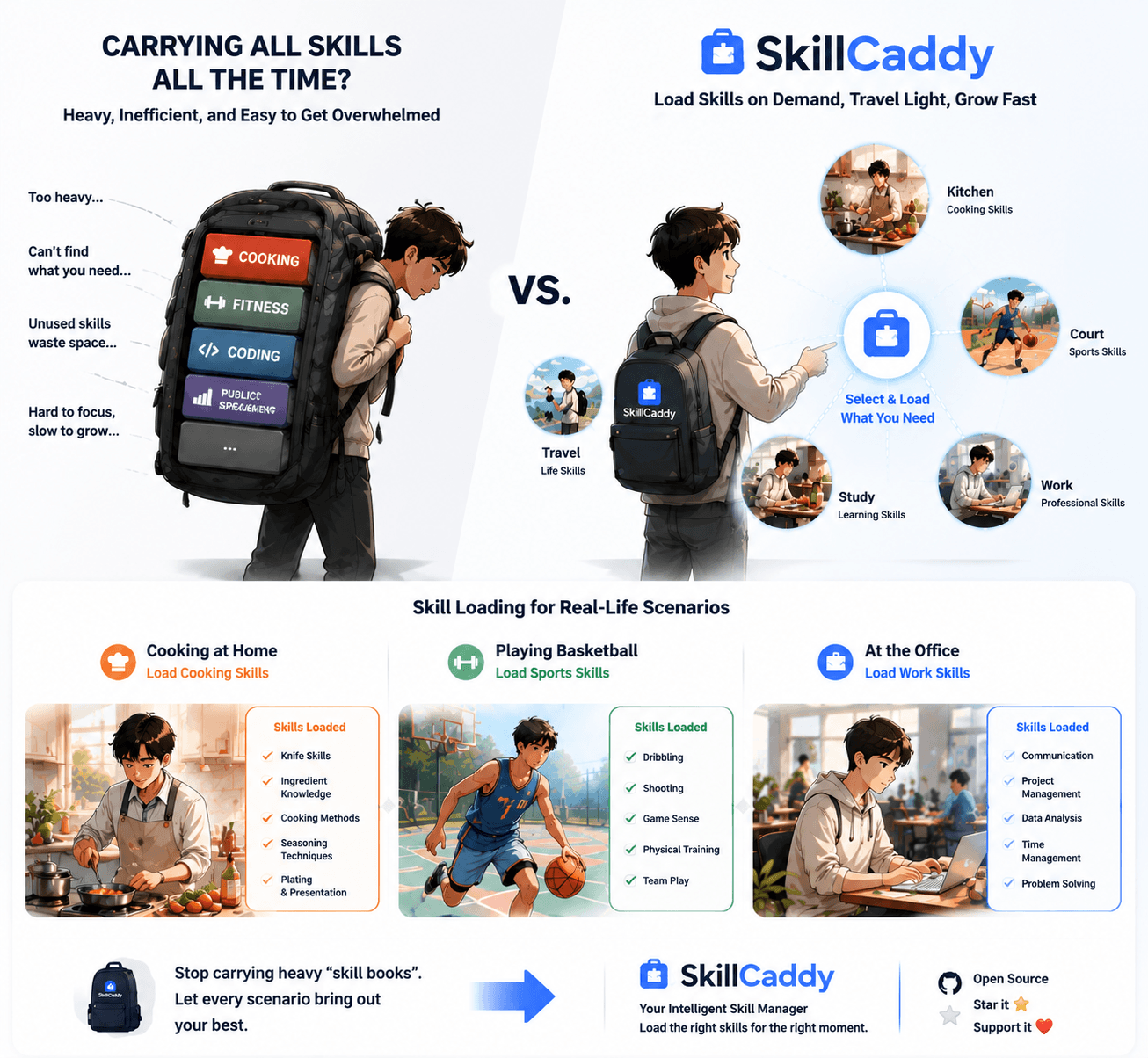
Load skills on demand. Travel light. Grow fast.
按需加载 skills。轻装上路,快速成长。
The problem 问题
If you use multiple AI coding agents across repos, the same skill ends up in three places, slightly different each time. New projects mean more copies. Upstream updates never land.
当你在多个仓库里同时用 AI 编码 Agent,同一个 skill 会散落在三处,各自略微不同。新开项目就要再拷一遍;上游更新也跟不上。
The same skill lives in three repos, each a week behind the others.
同一个 skill 出现在三个 repo 里,彼此落后一周。
Every new repo starts with “which skills do I copy this time?”
每次新开仓库都要问:这次该拷哪些 skills?
Claude Code wants `.claude/skills`; others want `.agents/skills`.
Claude Code 要 `.claude/skills`,其他工具要 `.agents/skills`。
How it works 工作原理
Skillcaddy never copies skill files into projects. Enable creates a directory symlink; disable only removes that symlink. Sources stay safe.
Skillcaddy 从不把 skill 文件复制进项目。启用就是创建目录软链接;禁用只删链接,源文件始终安全。
Aggregate official, github, personal, archived, and repo-bundled skills under one AISkills root.
把 official / github / personal / archived 与仓库内 skills 汇总到同一个 AISkills 根目录。
Point `
把 `
Optionally mirror into `.claude/skills/` with independent enable/disable.
可选镜像到 `.claude/skills/`,并与 agents 侧独立开关。
Features 能力
All skills live in your library. Projects only hold symlinks.
所有 skill 住在库里;项目里只保留软链接。
Disable removes only the symlink. Archived skills need explicit naming.
禁用只删软链接;archived 必须显式点名才启用。
Browse, bulk-enable, edit notes/tags, and review diagnostics in the browser.
在浏览器中浏览、批量启用、编辑备注/标签,并查看诊断建议。
Full keyboard-driven manager for headless or terminal-first workflows.
完整键盘驱动管理器,适合终端优先或无头环境。
Notes, tags, and autoEnable live outside upstream skill repos.
备注、标签与 autoEnable 存在源仓库之外,不污染上游。
Detect broken links, unmanaged entries, shadows, and duplicate names.
检测断链、未管理条目、别名遮蔽与库内重名。
Install 安装
Skillcaddy is pure Node.js with zero npm dependencies. Start the web manager, or use the terminal UI.
Skillcaddy 是纯 Node.js 实现,零 npm 依赖。可启动 Web 管理器,也可使用终端 UI。
127.0.0.1:4173
Web 管理器默认 127.0.0.1:4173
npm run tui -- /path/to/project
TUI:npm run tui -- /path/to/project
# clone
git clone https://github.com/chenweil/skillcaddy.git
cd skillcaddy

# web manager
npm start

# terminal UI
npm run tui -- ~/code/my-project

# optional: install manager skill globally
npm run install:manager
Platforms 平台
Directory symlinks are native on macOS and Linux. On Windows, enable Developer Mode or run with elevated privileges.
macOS 与 Linux 原生支持目录软链接。Windows 需开启开发者模式,或以提升权限运行。
| Platform平台 | Status状态 | Notes说明 |
|---|---|---|
| macOS | Supported支持 | Native directory symlinks原生目录软链接 |
| Linux | Supported支持 | Native directory symlinks原生目录软链接 |
| Windows | Setup required需额外配置 | Developer Mode or Admin for fs.symlink需开发者模式或管理员权限以使用 fs.symlink |
Next step 下一步
Keep the library central. Enable only what the project needs. Update sources once, everywhere.
库集中管理,项目按需启用。源只更新一次,处处生效。